ABCDE Method for KDP: Ready-to-Upload Interiors That Eliminate Formatting Stress
If you’ve ever tried to self-publish a low-content book on Amazon, you already know the hidden monster: formatting. One misplaced margin, a missing bleed line, or a single pixel off in your PDF can send you back to square one – often after days of fiddling. The ABCDE Method for KDP puts an end to that. It’s a systematic, checklist-driven way to prepare interiors that sail through Amazon’s automated review, and now you can get a completely finished, ready-to-upload PDF file that already follows that method step for step.
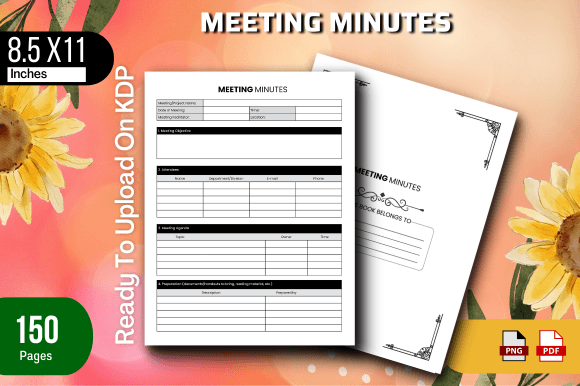
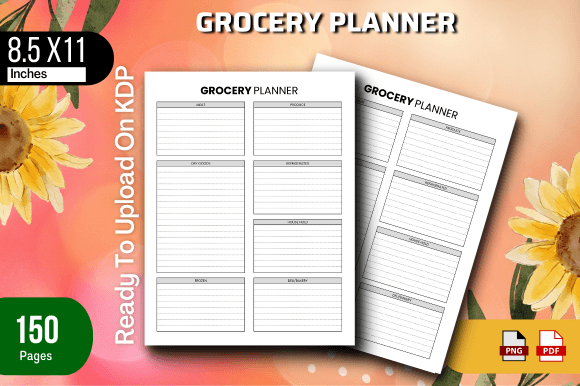
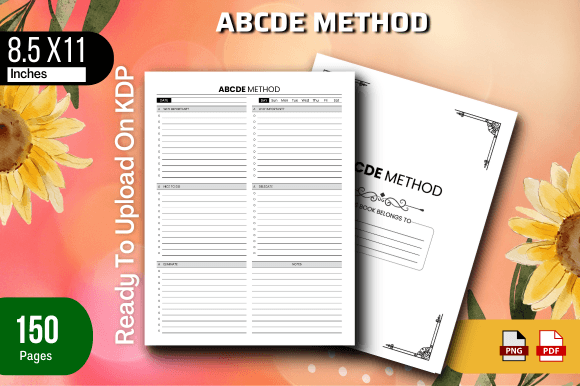
This isn’t just theory. Inside you’ll find a 8.5 x 11 inch, 150-page interior that has been tested on Amazon KDP and arrives with a companion PNG image – everything from the bleed settings to the safe zone has been dialed in so you spend zero minutes wrestling with layer panels or export dialogs. Whether you’re launching your first journal or your fiftieth planner, this ABCDE Method for KDP pack hands you a proven shortcut.
What Exactly Is the ABCDE Method for KDP?
- A – Align your content to the safe zone. All text and graphic elements must stay clear of trim edges to avoid getting cut off.
- B – Build in bleed. For edge-to-edge backgrounds or images, bleed is non-negotiable. This method ensures that bleed extends exactly 0.125 inches beyond trim.
- C – Confirm correct dimensions. Amazon requires precise page sizes. The 8.5 x 11 inch format must be set flawlessly from the start, not resampled later.
- D – Define your margins and gutter. Binding swallows part of the page. The ABCDE method presets a wide inner margin so nothing disappears into the spine.
- E – Export to PDF/X-1a. This final step embeds fonts, corrects color profiles, and strips anything that could trip Amazon’s preflight check.
When you apply the ABCDE Method for KDP correctly, your interior file is practically reject-proof. Instead of learning all this through trial and error, the included PDF has every letter baked in.
Why the ABCDE Method Matters More Than Ever
What’s Inside the ABCDE Method for KDP Pack
- READY TO UPLOAD PDF FILE – No extra steps needed. Open your KDP dashboard, upload, and the system recognizes it immediately.
- 8.5 x 11 inches – The most popular US trade size for notebooks, workbooks, and journals. Maximizes available space while keeping production costs predictable.
- 150 total pages – A sweet spot for a substantial feel without becoming overly expensive to print. Thick enough to look great on a shelf, lean enough to keep royalties healthy.
- Files were tested on Amazon KDP – Each interior component passed the platform’s automated checker and a manual visual review. You won’t discover a hidden margin error after hitting publish.
- PNG Image Included – Use this for your cover design mockup, create a matching promotional graphic, or even place it directly into your cover file on Canva. It visualizes the interior layout at a glance.
A PDF That Already Passes Every Check
The ready-to-upload PDF has been generated as a PDF/X-1a compatible file. All fonts are embedded, the color space is CMYK for the interior (even if it’s monochrome), and page boxes match Amazon’s specifications. When you upload, the KDP interface won’t trigger the dreaded yellow warning about potential bleed or margin issues.
The 8.5 x 11 Inch Advantage
Many self-publishers default to smaller sizes like 6x9 or 5x8, but 8.5 x 11 inches stands out. It’s the familiar letter-size, perfect for planners, activity books, or any content where larger layouts shine. KDP’s printing costs for this size with 150 pages remain reasonable, and customers often perceive larger books as delivering more value for money. The ABCDE Method for KDP interior leverages this format so your book looks professional without any manual resizing.
150 Pages: Not Too Thin, Not Too Thick
Tested on Amazon KDP for Your Peace of Mind
The Bonus PNG: Visual Clarity for Covers and Listings
A single PNG image might seem minor, but when you’re designing your cover in a tool like Canva or Photoshop, having a quick visual reference of the interior layout helps you align cover art with the spine width and front-back proportions. You can also drop it into an A+ Content module or a social media post to show customers the inside – without revealing too much. It’s one more way the ABCDE Method for KDP pack anticipates your publishing needs.
How This Product Bakes the ABCDE Method into Your Workflow
Who Benefits Most from an ABCDE Method for KDP Interior?
- First-time authors who find KDP’s guidelines intimidating. You can learn by reverse-engineering a perfectly formatted PDF while you publish.
- Volume publishers managing 10 or 20 low-content titles at once. Standardizing on an ABCDE Method for KDP interior saves hours per book.
- Course creators and coaches turning handouts or workbooks into sellable physical products. The 8.5x11 size is ideal for exercise sheets.
- Freelance designers offering KDP formatting as a service. You can use this as a starting canvas and modify lines, dot patterns, or headers for clients without breaking the bleed or margin rules.
Step-by-Step: Launch Your Book Using the ABCDE Method for KDP Interior
- Download the ZIP. Inside you’ll find the READY TO UPLOAD PDF and the PNG image. Keep both in a folder.
- Log into your KDP account and click “Create Paperback.”
- Enter basic details: title, author, description. Keywords and categories matter, but they don’t affect formatting.
- On the “Paperback Content” tab, upload the PDF as the interior. KDP will immediately show a green checkmark if the file meets requirements – and this one will.
- Set trim size to 8.5 x 11 inches, select “No Bleed” or “Bleed” as needed (the file supports both, depending on the edition you received). Choose cream or white paper – 150 pages look great on either.
- Upload your cover. Use the PNG as a guide for spine alignment. Preview the book with KDP’s online previewer.
- Order a proof copy (optional but recommended) or hit “Publish.”
Common Questions Before You Choose a Ready-to-Upload Interior
Can You Edit the Interior PDF?
What Types of Books Work Best with This Layout?
- Lined notebooks and journals
- Dotted grid sketchbooks
- Planner and calendar templates
- Activity and puzzle books
- Guest books or logbooks
Does It Include a Cover Template?
Real-World Scenarios: When the ABCDE Method for KDP Saves the Day
Consistency Across a Series: One Method, Many Books
Getting the Most Out of the ABCDE Method for KDP Long-Term
Why PNG Images Matter in Your KDP Toolkit
Final Observations on the ABCDE Method for KDP
The self-publishing landscape is more crowded than ever, but the technical side doesn’t have to be complicated. The ABCDE Method for KDP is a proven framework, and this ready-to-upload package makes it tangible. You get an 8.5 x 11 inch, 150-page interior that has already been tested on Amazon KDP, plus a supporting PNG image. No guesswork with margins, bleed, or dimensions. You simply download, maybe add a few personal touches if you want, and publish. That’s the whole idea – spend your creative energy where it actually matters, and let the method handle the rest. When your book goes live without a single formatting hiccup, you’ll understand exactly why the ABCDE approach has become a quiet essential for thousands of KDP publishers.