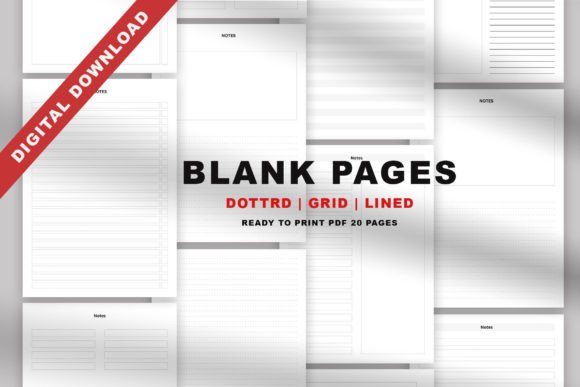
Digital Notebook Paper Pages Vol.50: Flexible Templates for Clearer Thinking
Many people who rely on handwritten notes find themselves stuck with generic ruled pads that never quite fit the way they think. Digital Notebook Paper Pages Vol.50 offers a different approach—a curated set of 20 printable templates designed around a simple but overlooked idea: the layout of the page should serve the content, not fight against it. Instead of adjusting your notes to a single rigid format, you can pick a structure that matches the task, whether that is mapping a client project, reviewing lecture material, or sketching out a creative idea. With soft lines on a clean white background, the pages are built to keep handwriting legible, make colored pens and markers stand out, and reduce visual noise so you can focus on what you are writing, not the paper itself.
A Closer Look at the 20 Template Collection
The true strength of this set lies in the variety of layouts included. Rather than repeating one or two styles, Digital Notebook Paper Pages Vol.50 groups together line, grid, dot, Cornell, lecture, column, diagram, box, and several miscellaneous templates under a single download. That diversity means you can keep a visual project timeline on a column layout, record daily to-do lists on a dotted template, and take meeting notes using the Cornell system—all from the same PDF file. Three different cover pages give you the option to create personalized section headers, while five bonus coloring pages serve as a low-stakes creative outlet. Every page arrives in A4, A5, and US Letter sizes, so you are not locked into one paper dimension and can adapt the file to local printing standards or personal planner systems.
Why Soft Lines and White Backgrounds Make a Difference
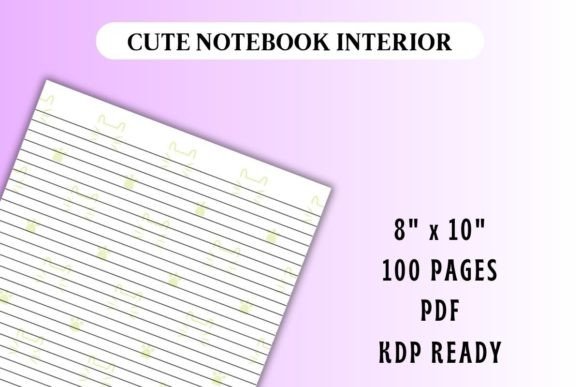
Not all printable notebook paper is created equal. When templates use harsh black grids or dark borders, they can compete with written content and make gel pens, highlighters, or fountain pen ink look muddled. The designers behind Digital Notebook Paper Pages Vol.50 deliberately chose white backgrounds with soft, muted lines. This choice does more than look clean—it helps colors pop brightly on the page, which is especially useful for color-coding notes, habit trackers, or mind maps. The reduced visual contrast between the guide marks and the paper also lowers eye fatigue during long writing sessions, making the templates comfortable for daily journaling, extended study sessions, or back-to-back client meetings where you need to scan handwritten pages quickly.
Practical Use Cases Across Professions and Passions
The wide assortment of templates makes this set relevant well beyond simple note-taking. A freelance content strategist might use the box template to storyboard a blog post structure, then switch to the column layout to split talking points into an outline and a script. A university student could combine lecture templates with Cornell pages to capture raw notes in class and distill key summaries afterward. Small business owners often lean on the dot grid pages for bullet journal–style weekly spreads that merge task lists, appointment tracking, and quick expense logs. Because the templates are inherently undated and minimally structured, they adapt to agile sprint planning, creative doodling sessions, meal planning, or even packing lists without forcing you to buy a different notebook for each purpose. The five coloring pages may seem like a light addition, but they provide a tactile screen break that many remote workers and marketers rely on to reset their attention between deep-focus tasks.
Mixing and Matching for Custom Notebooks
One of the most practical benefits of a digital download is the ability to print pages in any combination you wish. You might print ten dotted pages followed by five Cornell sheets and a box template to create a tailor-made work journal. Since the PDF includes A4, A5, and US Letter sizes, you can scale the designs to fit discbound planners, ring binders, or travelers’ notebooks without cropping or guesswork. This mix-and-match flexibility also supports incremental experimentation—if you discover that the diagram template works better for project kickoff notes than the standard lined page, you simply print more of that layout next time. The non-editable format means the base design stays consistent, but how you sequence, combine, and even bind the printed pages remains entirely under your control.
Who Gets the Most Value from Digital Notebook Paper Pages Vol.50?
While anyone who enjoys handwriting can benefit, certain groups will find the collection especially useful. Bullet journal enthusiasts often hunt for dot grid refills and tracker layouts without purchasing full dedicated notebooks; here they gain 20 ready-made page styles plus covers in one download. Educators and trainers can print multiple Cornell or lecture templates to share with students or workshop attendees as structured note-taking aids. Creatives—illustrators, designers, crafters—may gravitate toward the soft grid and blank-style misc templates for thumbnail sketches or pattern designs, then switch to the coloring pages as warm-up exercises. Remote workers and digital entrepreneurs who spend hours staring at screens often report that stepping away to write on carefully designed paper templates improves both recall and problem-solving clarity. Even consumers who simply want a clean, affordable way to organize household projects or personal goals will find the bundle’s breadth removes the need to hunt for individual page types elsewhere.
Considerations Before Downloading
It is worth noting that Digital Notebook Paper Pages Vol.50 is delivered as a non-editable PDF. You cannot fill in the pages using a keyboard directly within the file, which may be a limitation if you strongly prefer typing over handwriting. However, many users open the PDF in a tablet annotation app and write directly on the pages with a stylus, effectively turning it into a digital notebook background. The file is also designed for printing, so you will need access to a printer and good-quality paper to get the intended smooth writing experience; cheap laser paper may cause some pens to feather and reduce the pop of color. If you need fillable form fields or cloud-based editing, you would need to compare this option with dedicated digital notebook apps. For anyone who finds the physical act of writing more conducive to thinking, these templates strike a helpful balance between structure and creative freedom.
How to Get the Most Out of Your Templates
A few simple choices can noticeably improve how you use the printable pages. First, test the PDF’s size options before printing a large batch; A5 often works well for personal planners, while US Letter fits standard binders. Use a high-quality, relatively smooth paper stock—something in the 24–32 lb range—to prevent ink bleed-through and keep the soft guide lines crisp under any lighting. Pair the pages with a set of fine-liner pens, gel pens, or colored highlighters to fully exploit the white background’s ability to make hues stand out. If you plan to compile a full notebook, consider a discbound punch or a simple three-ring binder to allow reordering pages as your needs change. Digital Notebook Paper Pages Vol.50 also pairs well with printable index tabs or section dividers you may already own, letting you separate project notes from meeting logs without redesigning anything.
Five Coloring Pages: A Surprising Productivity Booster
It might seem odd to include coloring pages in a template pack aimed at note-takers and planners, but the addition is rooted in a well-documented principle: short creative breaks can reset mental fatigue and improve subsequent focus. The five included coloring pages offer a different kind of white-background advantage—intricate patterns appear vivid and crisp when filled with colored pencils or markers. Busy professionals can use them between intensive planning sessions, while parents and educators may print extra copies for kids to enjoy alongside their own organized pages. The coloring pages do not pretend to be a core productivity tool, but they add a thoughtful, human element that many digital-only notebook buyers appreciate.
Overall, Digital Notebook Paper Pages Vol.50 solves a common but rarely addressed problem—generic notebooks that dictate a single format regardless of the task. By packaging 20 distinct templates with a clean, color-friendly design, three cover options, and flexible sizing, the collection lets you build a customized paper workspace that moves with your day, not against it. Whether you are mapping a complex marketing campaign, capturing lecture notes, or simply trying to keep a tidy bullet journal, the variety and print-anywhere convenience make this a resource worth considering. Print only what you need, experiment with different layouts, and watch how the right page structure can quietly improve the clarity of your handwritten thinking.